
REQUIREMENTS:
- Telegram Account (works with all devices and operating system)
- A registration code or link from the platform you’re signing up with. If you don’t have one, message @holatgm to request access
Note: Screenshots shown are from Telegram Desktop. Your app may look slightly different depending on your device, but the steps are the same.
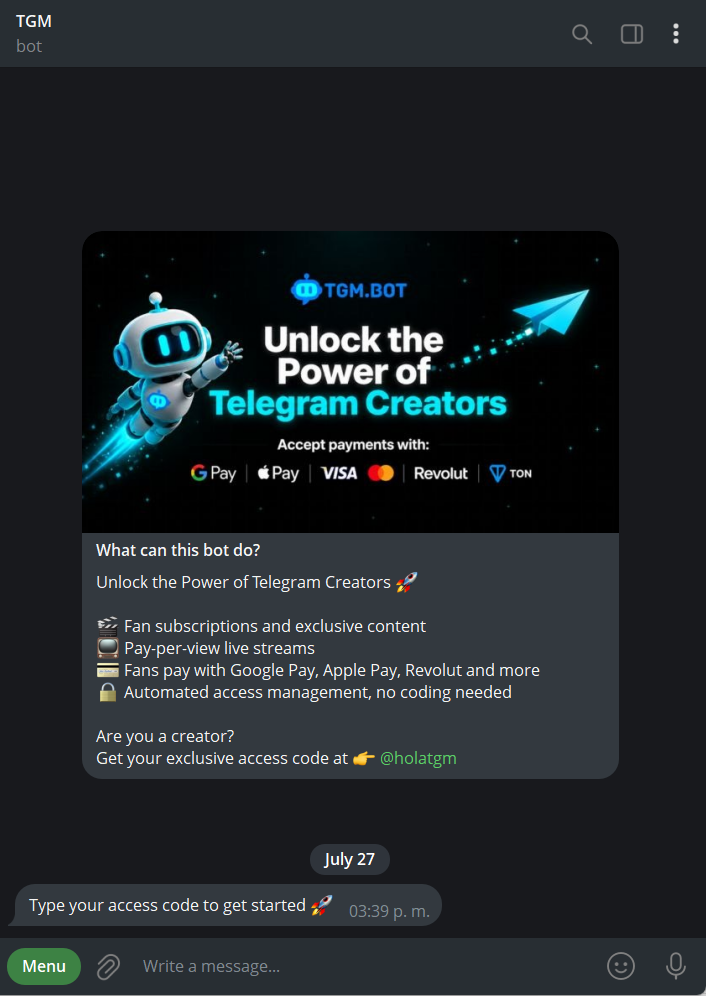
Step 1: Open TGM.Bot
If you land on the bot without a code, it’ll show you how to request one. If you already have a code, or you opened a direct registration link, you’ll skip straight to step 2.
Step 2: Confirm your registration
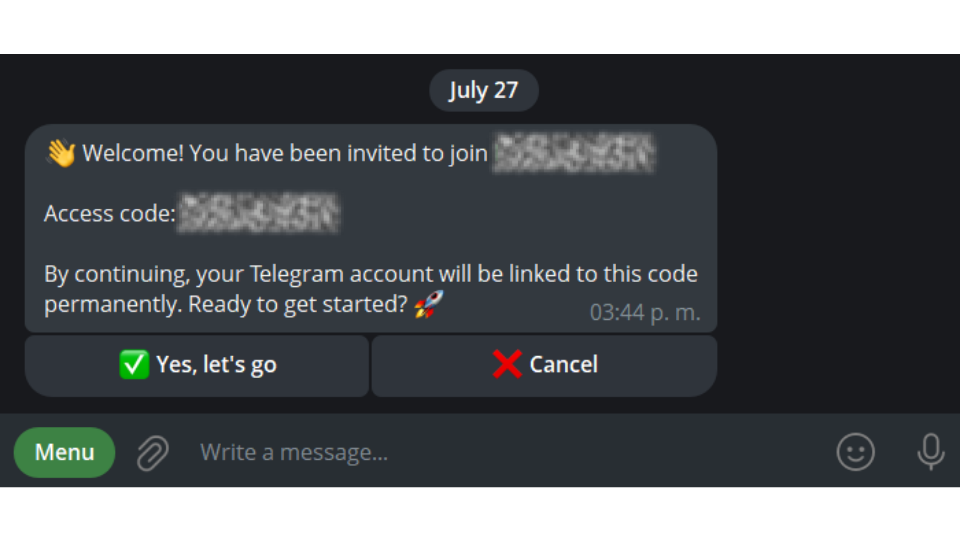
The bot shows you which platform you’re registering with and the code you used. Tap “Yes, let’s go” to confirm, or “Cancel” if something looks off
Step 3: Choose your account type
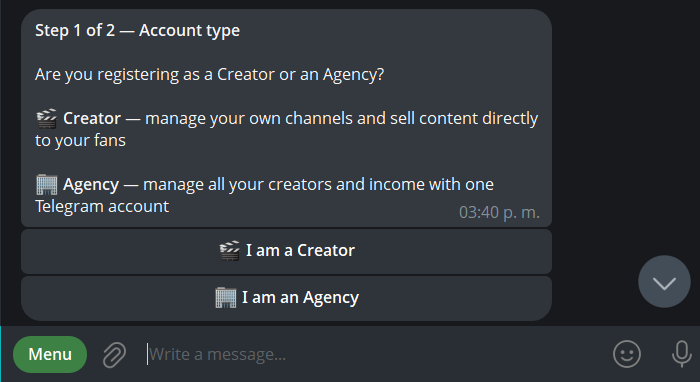
Pick Creator if you’ll manage your own telegram and sell directly to your fans, or Agency if you’re managing multiple creators from one or multiple accounts
Step 4: Create your account and get verified
Finally, click “Complete registration” and submit your verification details. Takes about 2 minutes.
See our [How to verify my account FAQ] to get your account up and running! 🚀