
Payment links are built for one file per price, so if you’re selling a pack (a set of photos, several videos, multiple documents), zip them into a single folder first.
1. Select all the files you want to include
On your computer or phone, select every file that should go in the pack.
2. Compress them into a zip folder
- Windows: right-click the selected files, choose “Send to” > “Compressed (zipped) folder”
- Mac: right-click the selected files, choose “Compress items”
- Phone: most file manager apps have a “Compress” or “Zip” option in the share/more menu, if not, a free zip app works too
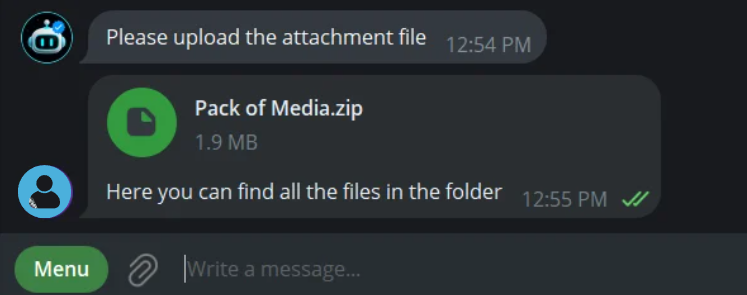
3. Upload the zip as your file
When creating your payment link, upload this single zip file instead of individual files. Fans get one download containing everything.
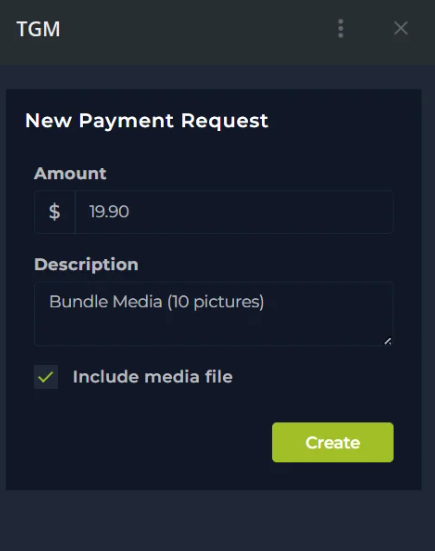
Important: You have to upload the file as Document (not Photo or Video) in the Telegram chat with the Bot
💡 Good to know
- This works the same way whether you’re delivering automatically or manually.