Every paid channel, whether it’s a subscription channel or a livestream channel, gets its own shareable link. Here’s how to set a custom name for it.
1. Open your channel settings
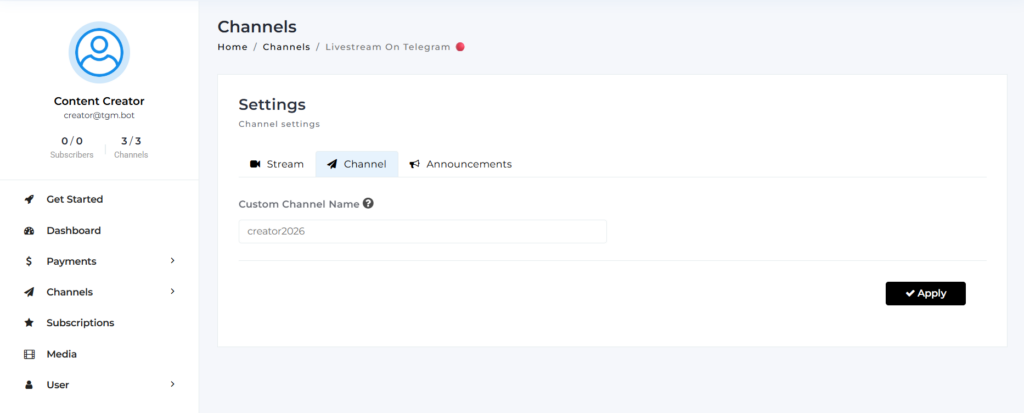
From your dashboard, go to Channels, then select the channel you want to customize. Or, straight from TGM Bot, tap /my_channels, select the channel, then tap Edit, it opens your dashboard directly, no separate login needed.
2. Go to Custom Link
Inside your channel settings, open the Channel tab.
3. Set your name and save
Enter your custom name, then tap Apply. This becomes your shareable link: tgm.bot/yourcustomname
💡 Good to know
- This works exactly the same for subscription channels and livestream channels, same tab, same steps.
- Pick something short, memorable, and easy to type, this is the link you’ll be sharing everywhere.