
You can either launch fast with a ready-made subscription, or create your own with custom pricing.
1. Open your dashboard
Everytime you create a new subscription channel the TGM Bot will ask you to “Add Subscriptions.” This opens a link that logs you into your creator dashboard automatically, no separate account needed
2. Choose a starting point
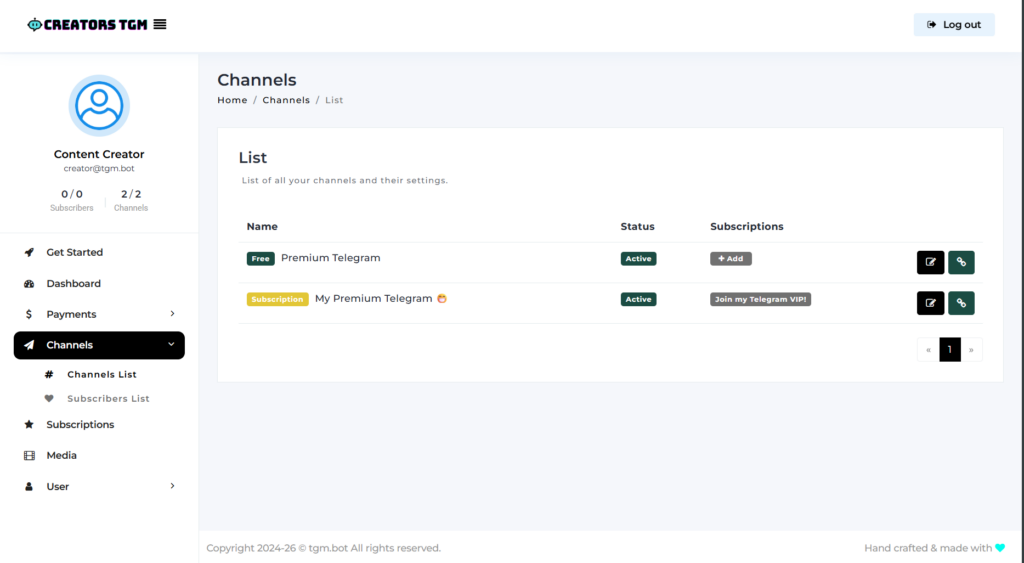
You’ll land on your Channels page. From here you have two options:
- Quick start: tap + Add next to your channel to attach one of the ready-made subscriptions.
- Custom pricing: go to Subscriptions in the left menu, then + New subscription, to build your own from scratch. ⭐
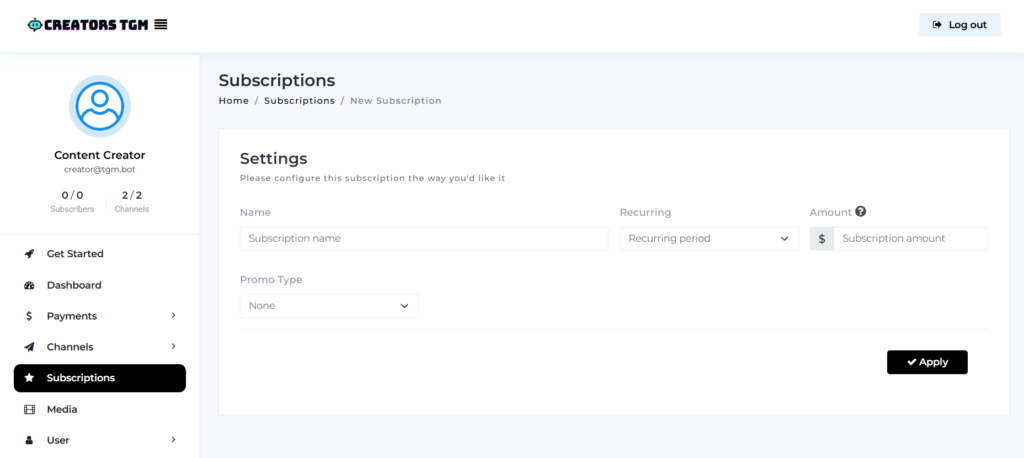
3. Set up your custom subscription (skip if you used the quick start)
Fill in the name, choose a recurring period (1, 3, 6, or 12 months), and set your price. You can select a Promo Type too (see more about promos here). Tap Apply to save.
⚠️ Choose your price carefully, once a subscription has active subscribers, its price is locked and it can’t be deleted.
4. Attach it to your channel
Go to Channels, select your channel, tap + Add in Subscriptions column, check the subscription(s) you want, and tap Apply.
5. Set your link name (optional)
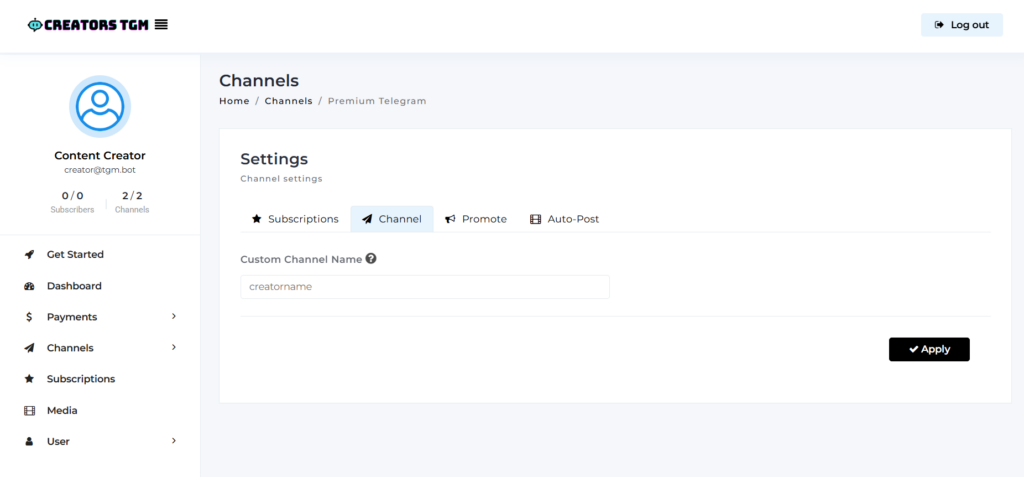
In the same channel, open the edit button📝, select Channel tab and set a Custom Channel Name, this shapes the link your fans will use to subscribe. Tap Apply to save.
6. Get your subscription link
Once your subscription is attached, grab the link to share with fans two ways:
- From the dashboard: go to Channels, find your channel, and tap the 🔗 link icon next to it. It’ll copy the invite link straight to your clipboard.
- From the bot: in TGM.Bot, open the menu and tap
/my_channels, select your channel, then tap “Invite Link”
⚠️ Always share your TGM.Bot link (tgm.bot/yourchannel), not the regular Telegram link (t.me/+randomcode). The Telegram link won’t ask fans to pay, so they can’t join.
🎉 You’re ready to share your link with fans across any platform. All they need is a Telegram account and a payment method, no registration required.
Next: [Where can I share my paid links?] 🔗